Turn ambition
into reality.
Not just a chatbot. A living team of AI agents that plan, research, create, and execute for you — turning what you want into what you do, every single day.
Designed for simplicity, built for scale.
Powerful enough to handle complex workflows, yet simple enough for anyone to use — no technical expertise required.
Real-time Chat
Instantly responds to every query 24/7 — accurate answers, seamless conversations, human-like engagement at scale.
Voice & Automation
AI Integration
Connects to 1000+ apps so your whole stack works as one — data flows where it needs to, automatically.
No-Code Builder
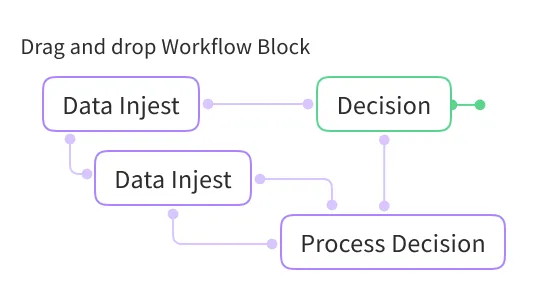
Drag, drop, and deploy AI workflows in minutes — no coding, no complexity, no technical expertise required.
Custom Workflow
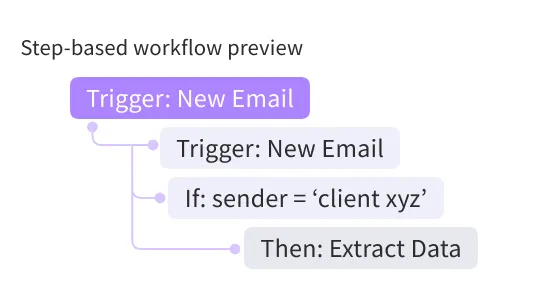
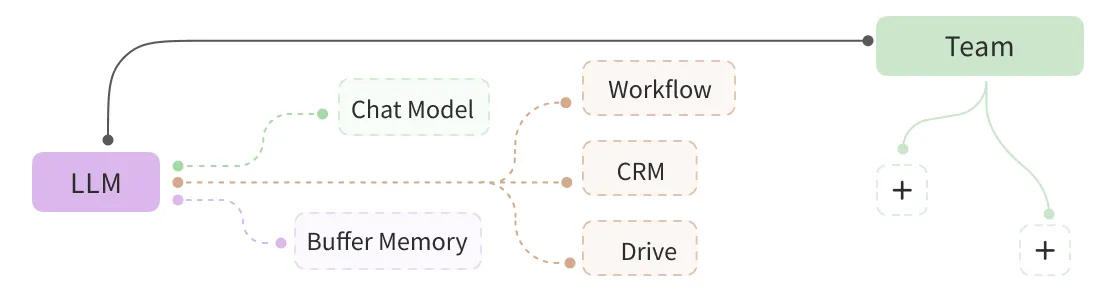
Design and automate multi-step sequences that match your operations — eliminating manual tasks, reducing errors, and saving time.
Build your first workflowHands-off
Switch on the boards IceKid may run and set each item to On its own, You approve or Asks first. It works while you’re away, and the Secretary brings you every decision by app, email, text or call. Spending over your limit, someone new and a campaign launch always ask.
See how Hands-off worksAgents that deliver
A task ends as real drafts — posts, documents, decks, emails — with a link to each. Nothing goes out without you.
Meet the agentsSkills that ask first
A skill IceKid builds for you never posts or sends without asking. A schedule asks once, and again if the skill changes.
How it stays safePrivate apps, shared on your terms
Every app starts private. Share a link when you want — emails and phone numbers stay hidden — and stop sharing any time.
About sharingSkills on every device
Build a skill on your computer and run it from your phone. Schedules follow too, and each one runs once, not once per device.
How sync worksEverything IceKid can do
Trust & control
Every lead approves. Nothing slips through.
Each executive and department lead must sign off on tasks before they execute. 26 granular categories. Full auto, approval-required, or completely disabled.
26-category autonomy system
Per-action categories
How approval works
- 01Agent wants to post to Instagram.
- 02Checks autonomy level for "Posting".
- 03Approval required — toast notification sent.
- 04Executive reviews and taps Approve.
- 05Action executes and result is logged.
Event-driven pipeline · 20 event types · 6 handlers
- Call completed→ lead.created→ contact.created→ followup.scheduled
- Lead qualified
- Deal closed
- Post published
- Invoice paid
Skill registry
41 skills. One prompt.
Every skill is a specialist. The agent chains them together automatically based on your intent — no manual wiring needed.
41 registered skills · 6 domains
- Social Media7 skillsPostScheduleCampaignAutoCommentAutoReplyDiscoverInfluencer
- Content6 skillsImageGenVideoGenAudioGenCaptionsContentMedia
- Business Ops5 skillsCRMSurveyNewsletterIntegrationPredict
- Analytics2 skillsAnalyticsInsights
- Automation3 skillsAutopilotAgencyWorkforce
- System2 skillsComputerWeb
End-to-end lifecycle
From message to business results
- 01Input
You speak, IceKid listens
Natural language in. Multi-intent classification across 11 categories — one message can trigger multiple systems simultaneously.
5-minute TTL cache keeps context fresh without hammering APIs.
You speakContentCRMAnalyticsCalendar+8 - 02Think
Dynamic context injection
Live business state is assembled: CRM pipeline, top content, analytics, brand kit, trends, time of day, memories, soul identity.
Soul system hot-reloads every 60s — edit identity.md and personality changes instantly.
Context assembledCRMContentAnalyticsBrandTrendsMemorySoul identitylive - 03Plan
Skill selection & orchestration
41 skills are presented to the model as callable functions. It decides which to chain and in what order — just like Claude Code.
The agency skill (#41) can run the full 5-step wizard from a single prompt.
Skills chainedclassifyIntent()getContext()planCampaign()generatePost() - 04Act
Agents execute in parallel
Up to 100 agents organized across 9 departments take action. Each gets their own LLM call with their specialized prompt and knowledge base.
delegateToTeam() enables true parallel multi-agent coordination.
Agents in parallel×1009 departments running Marketing
 Sales
Sales Finance
 - 05React
Event bus ripples
20 event types fire across the system. 6 pipeline handlers auto-create CRM records, calendar events, notifications — zero manual data entry.
SQLite audit trail tracks every event for full observability.
Event bus ripplesCRM recordcreatedCalendar eventaddedNotification sent20 event types - 06Learn
Learning loop activates
After content publishes, performance is analyzed. Best posting times, content types, and engagement insights are extracted and saved to memory.
AutoDream at 3 AM consolidates learnings and prunes stale memories.
Learning loopMonBest: Thu 6pmSunSaved to memory - 07Proact
Proactive intelligence
Every 90 minutes, IceKid scans trends, CRM health, overdue invoices, and uncontacted leads. One-click action notifications are pushed to your desktop.
Quiet hours (11 PM – 7 AM) respected. No noise while you sleep.
IceKid every 90 minTrend spottedDraft postOverdue invoiceSend reminderUncontacted leadReach out
Desktop app · day one
Your first day at the office
The Secretary shows you around, then walks you through your first request on your real dashboard. Five steps, five holes in a punch card, and a welcome in bonus credits.

The Secretary’s walk · 40 seconds
“Now you know where to find me.”
Right after your interview, she walks you across the busy office floor and stops at her door. Then she shows you around — by voice, with a cursor on your real dashboard.
The punch card
- 01
- 02
- 03
- 04
- 05
Each step punches a hole. At step 5 the card is stamped, and a sealed telegram brings you 50 bonus credits.
The walkthrough · 5 steps
Next and Close on every step · it moves on by itself
- 01The switchboardShe shows you the boards that run your office.
- 02The card catalogueThe catalogue slides up with everything IceKid can make.
- 03Ask for somethingOn the Social board, the request fills itself in from your business.
- 04SendIceKid gets to work — and never publishes, sends or pays on its own.
- 05Down the tubeA picture of your Secretary on the rooftop at sunset, yours to keep, arrives down a brass pneumatic tube.
Rewards as you grow
Bonus credits for using it — not for buying it.
Every video you unlock stays behind your nameplate at the top — your office tour, the Secretary’s walk and each milestone, ready to watch again or download.
Airdrops · they keep coming
- Smallevery 5 videos you make+50
- Smallevery 10 posts you publish+25
- Mediumevery 50 chats+100
- Bigevery 250 chats, after your first 250+250
Nameplates · everyone starts as Clerk
- 5 chatsManager—
- 30 chatsDirector—
- 50 chatsTycoon+100
- 100 chatsMogul+250
- 250 chatsLegend+500
Plus one-time bonuses for your first social account, first video, first phone agent and first Hands-off step, a full week in a row, and lighting every board lamp in the office. A chat is a request IceKid finished answering — up to 25 count each day.
Bonus credits are earned, never sold — not for sale and no cash value. The walk, the walkthrough and the videos play in the desktop app; on the phone your chats still count and the bonus credits still land.
Every milestone and amount in the handbookOne prompt.
Entire agency in motion.
41 skills. 100 agents. 4 channels. Memory that dreams. Download IceKid and your AI Social Media Marketing Agency starts day one.
FAQ
Frequently asked questions
How does IceCone work?
You brief IceCone once in plain language. From there its autonomous AI agents research the angle, generate the copy and visuals, schedule the posts, and publish across platforms — then report back on what worked.
Do I have to approve posts before they go live?
By default, yes. IceCone is human-in-the-loop: the agents propose and prepare the work and you approve before anything publishes. You can let proven workflows run fully autonomously once you trust them.
Can IceCone run without me prompting it?
Yes. IceCone works proactively — on a regular cadence it scans your business for content gaps, post performance, and trending topics, surfaces what matters, and asks if you want action taken.
How does one brief become posts on every platform?
From a single instruction, IceCone produces platform-appropriate variations of the copy and visuals and publishes them across the major networks from one place.
What happens if something needs a human decision?
The agent escalates. Anything outside its approved guardrails is routed back to you for a decision, so autonomy never means losing visibility or control.
How do I start?
Start free, describe your business, and IceCone builds your AI workforce in minutes — you can watch it work before handing over the keys.